

Amaar Toolkit
All-in-one toolkit for Windows: screen recorder, video, photo and PDF tools, Word and Excel editor, AI detector, grammar check and PC health check. Try it free for 7 days.
- Type
- Windows PC software
- Version
- 3.1.0
- License
- 1 device included
- Delivery
- Instant download
- Updated
- 17 Nov 2026
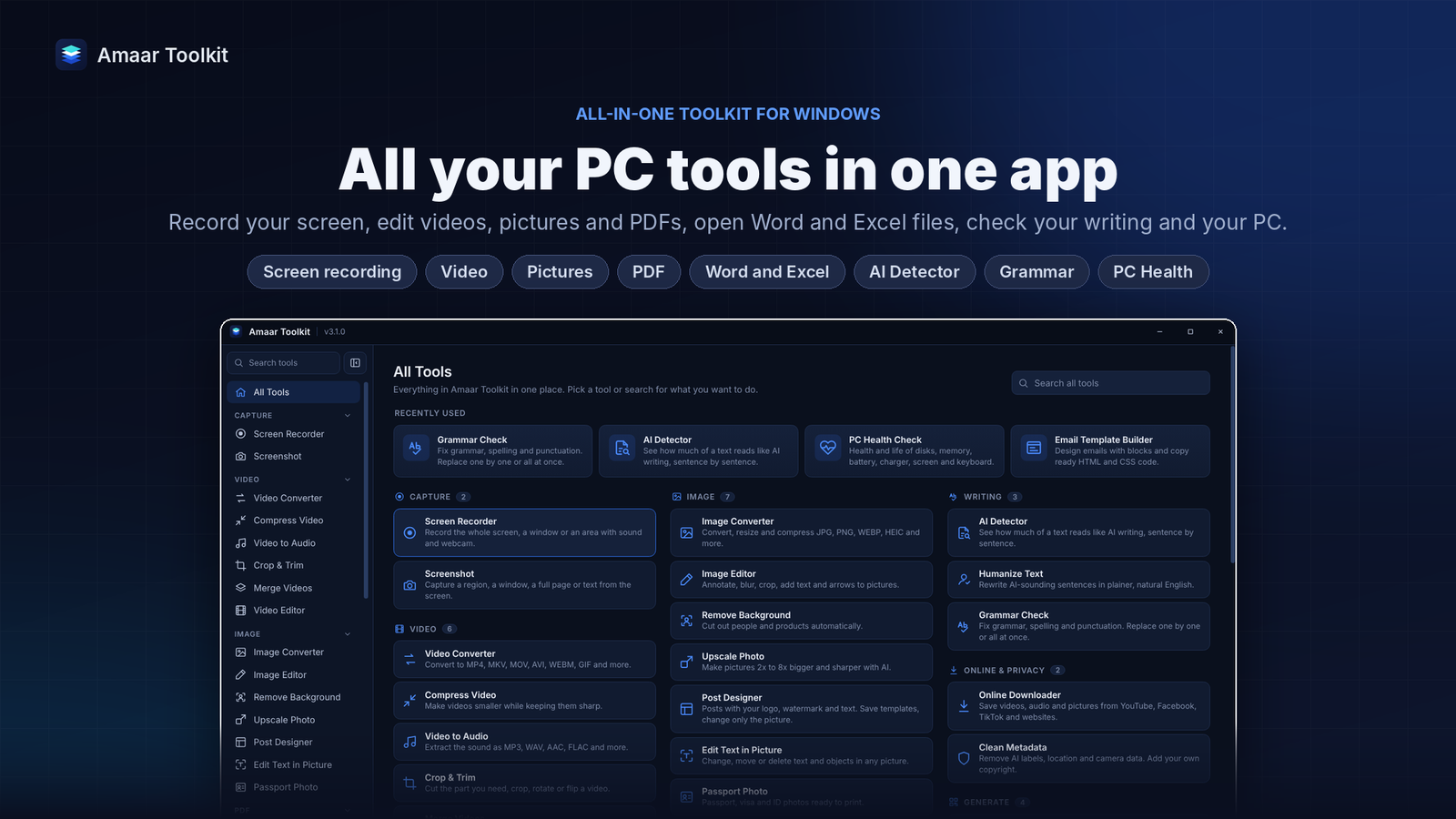
Amaar Toolkit brings the tools you use every day into one Windows app. Record your screen, edit videos, photos and PDFs, open and edit Word and Excel files, check your writing for AI text and grammar mistakes, design social media posts, download online videos and check the health of your PC. Most tools run on your own PC, so your files stay with you.
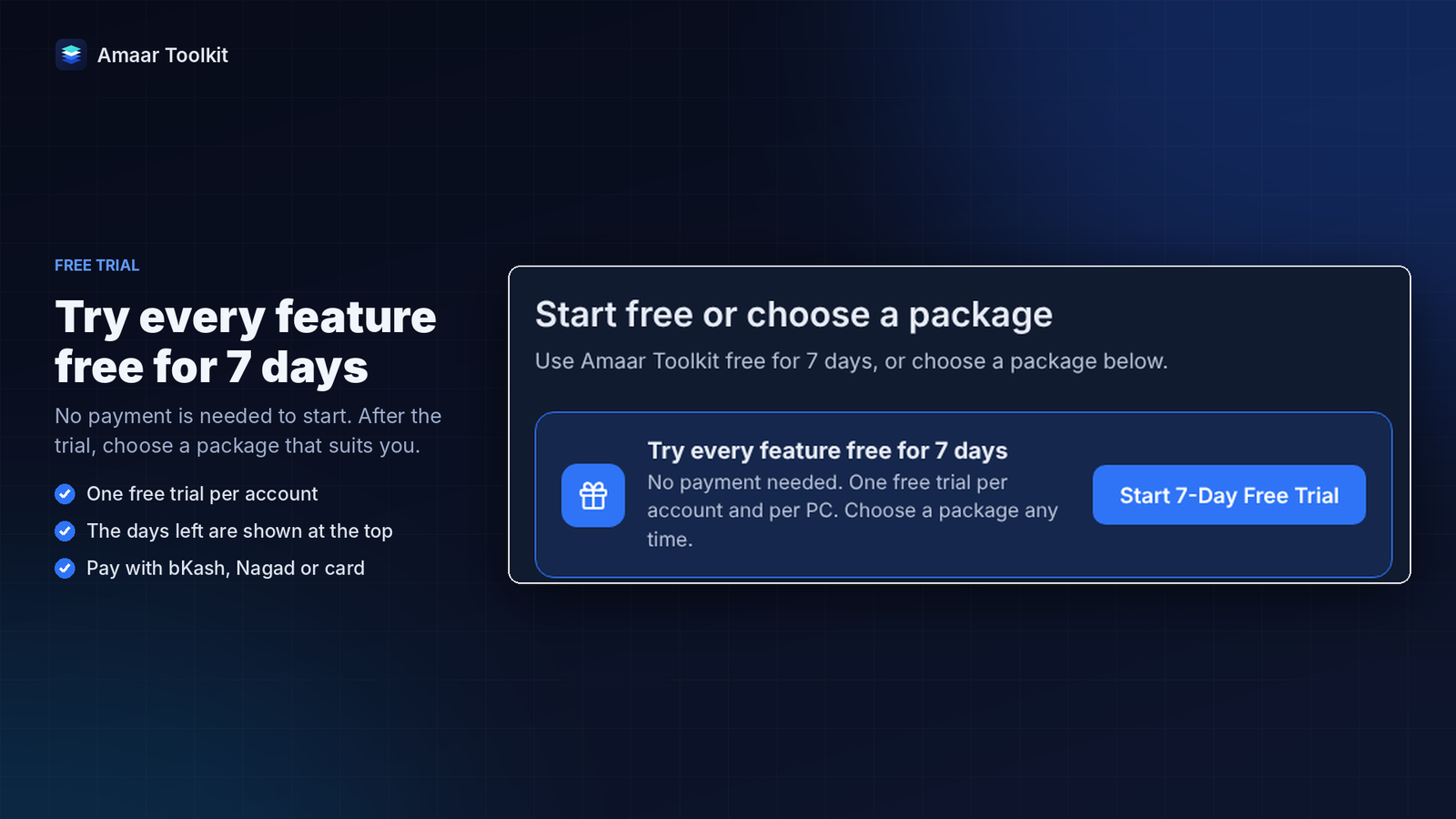
Start with a free 7-day trial. No payment is needed to try every feature.
Screen recording and screenshots
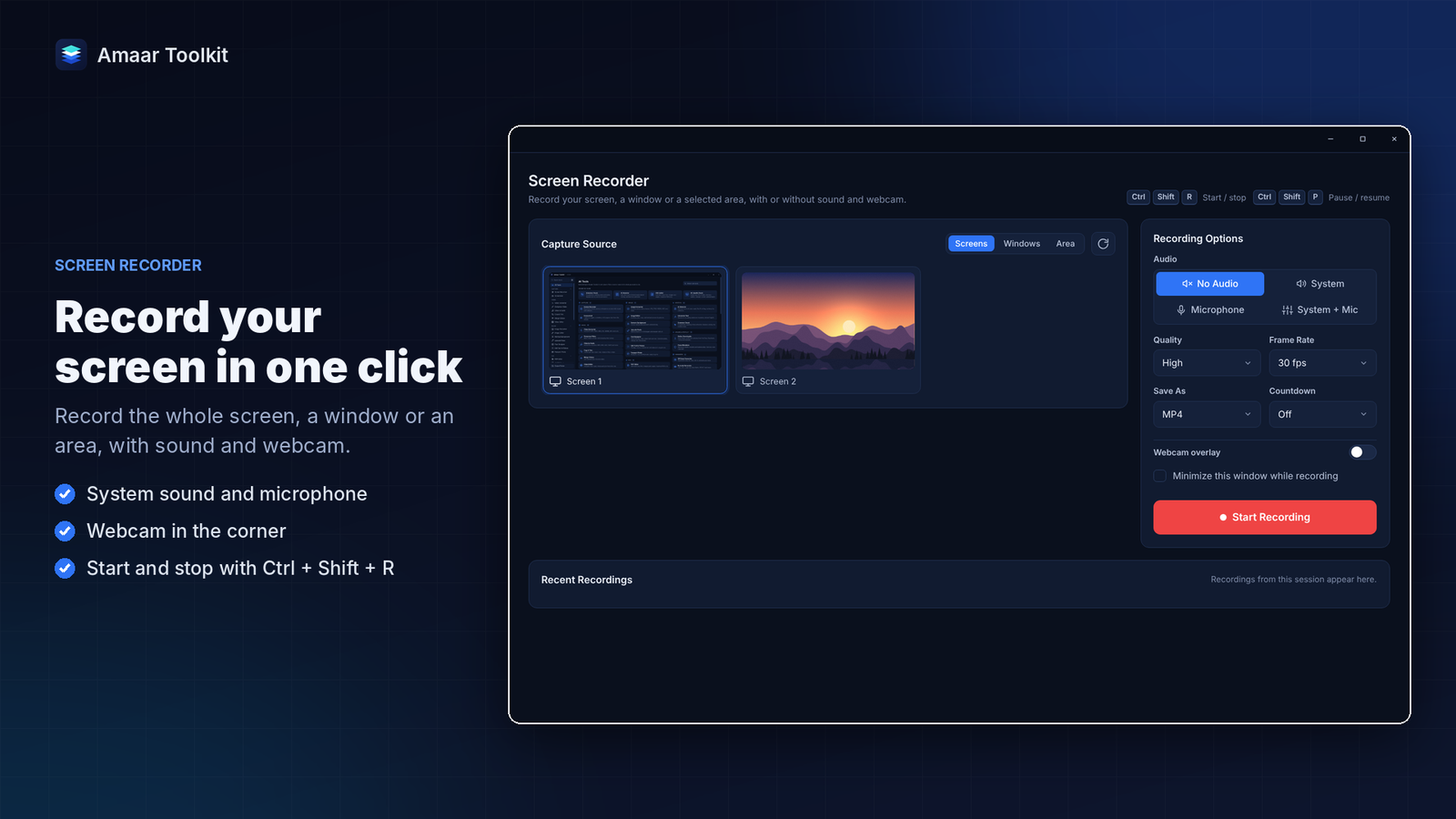
- Record the full screen, one window or a selected area, with system sound, microphone or both
- Add your webcam in a corner, pause and resume, and control everything from a small floating bar
- Start and stop recording from anywhere with Ctrl + Shift + R
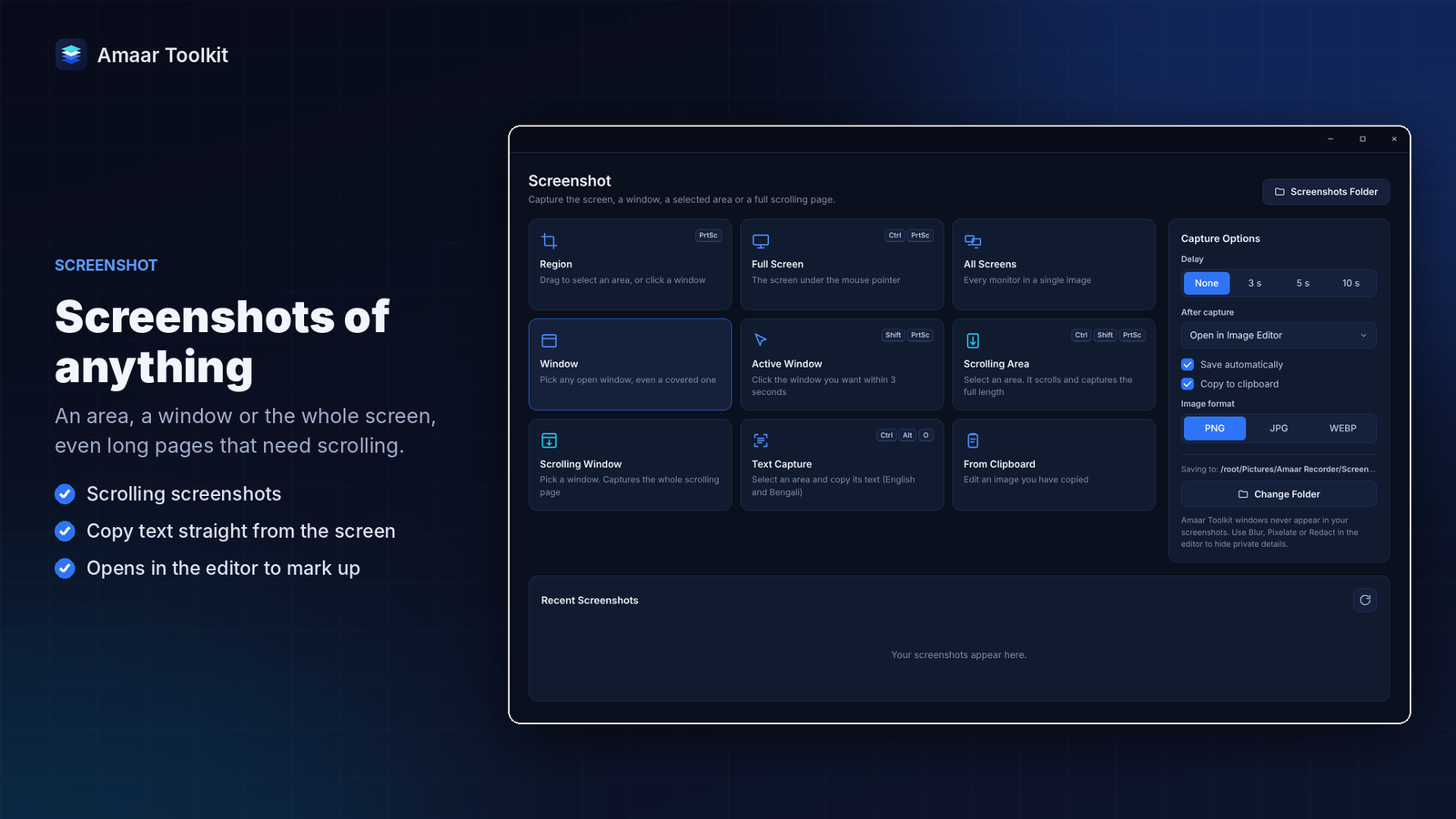
- Take screenshots of an area, a window, the full screen or a long scrolling page
- Mark up screenshots with arrows, text, numbered steps, blur and highlight, then save or copy
- Copy text straight from the screen or from any picture, in English and Bengali
Video and audio
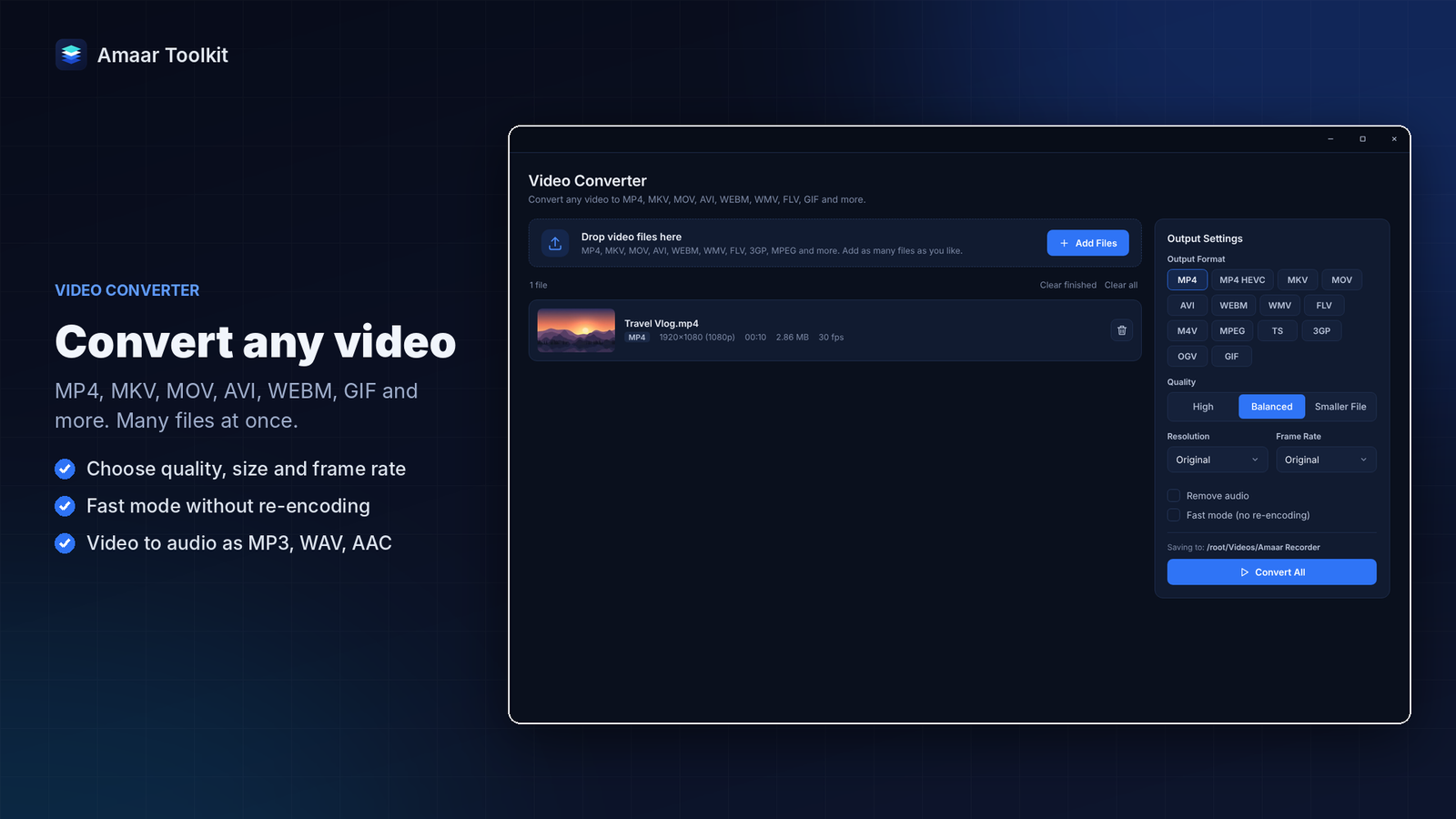
- Convert videos to MP4, MKV, MOV, AVI, WEBM, GIF and more, many files at once
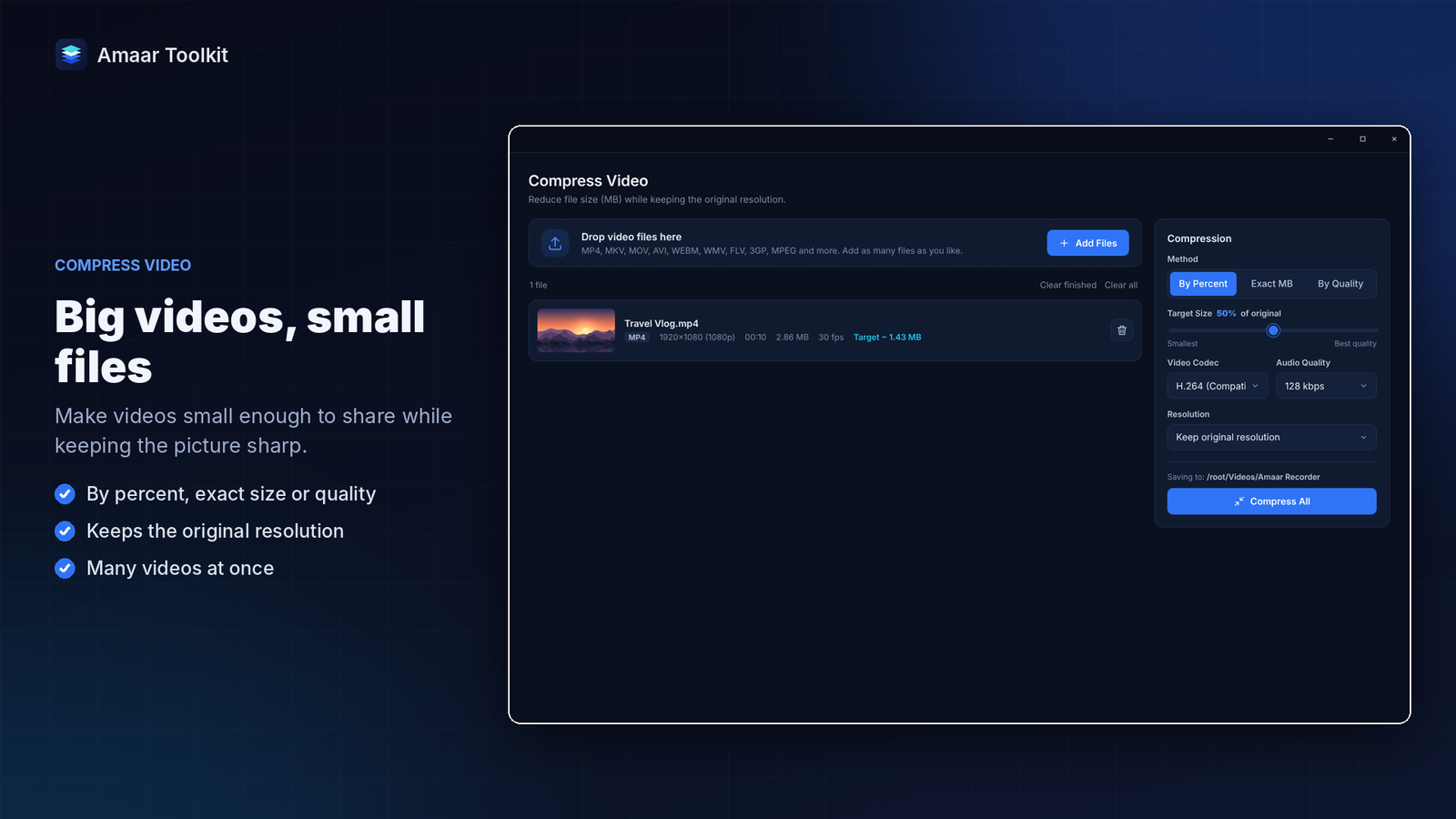
- Compress videos to an exact size, keeping them sharp enough to share
- Save the sound as MP3, WAV, AAC or FLAC
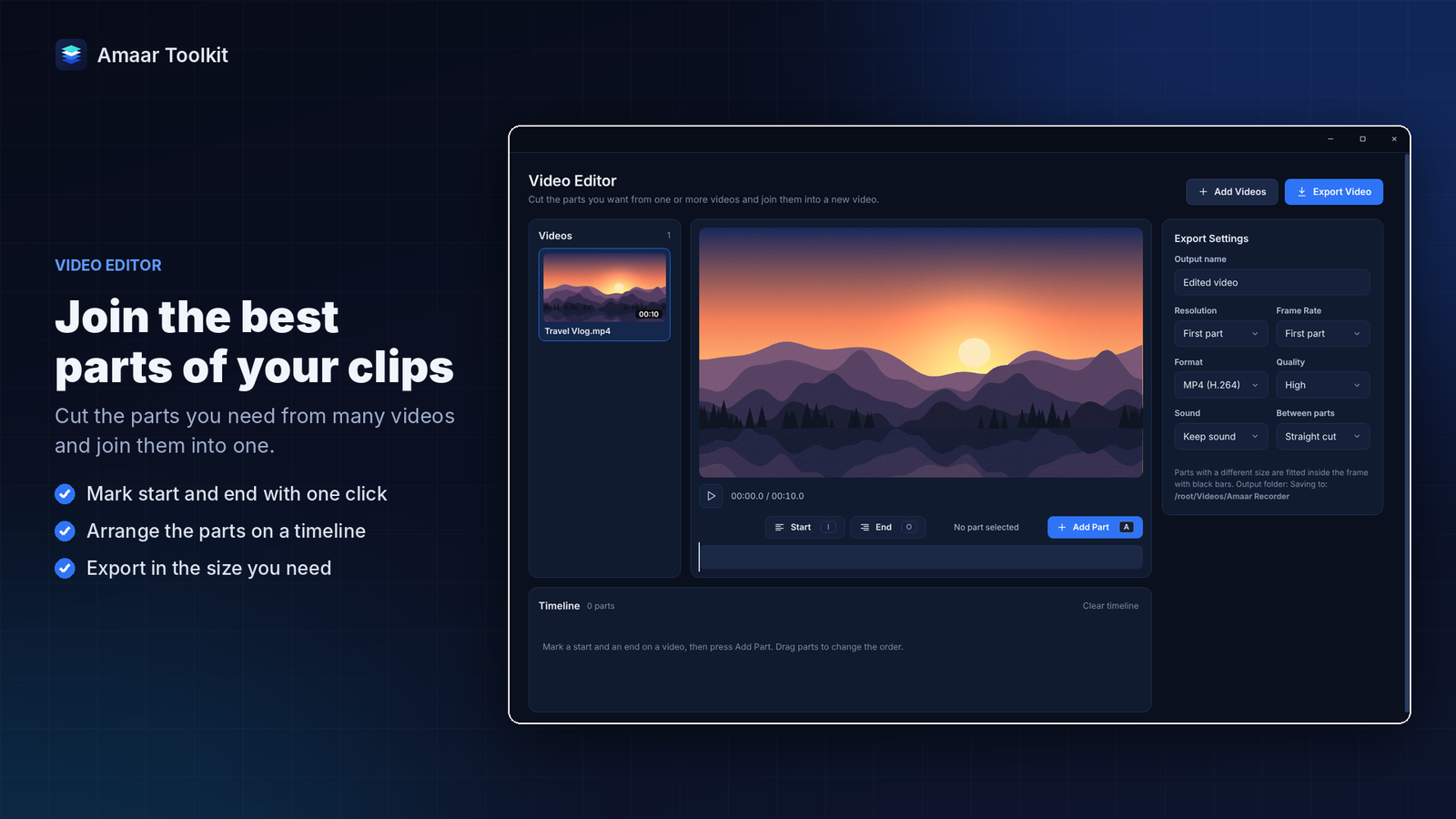
- Crop, trim, rotate and merge videos, or cut the best parts of many clips and join them in the Video Editor
Photos and design
- Convert, resize and compress JPG, PNG, WEBP, HEIC and more in bulk
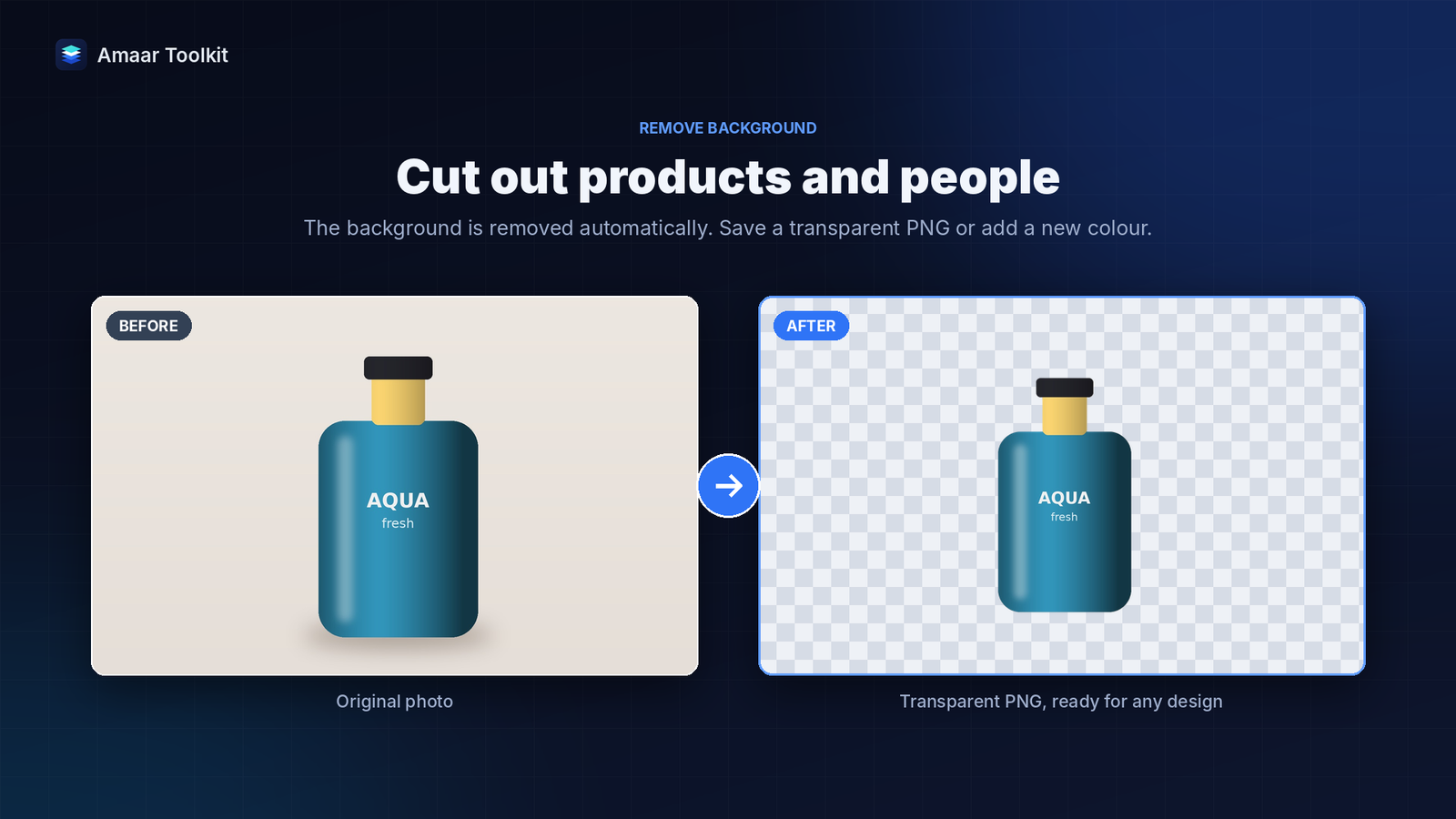
- Remove the background from people and products automatically, with brushes to fix the edges
- Make small or blurry pictures 2x to 8x bigger and sharper with AI
- Passport, visa and ID photos in standard sizes, with background removal, skin smoothing, spot removal, colour correction and print-ready sheets
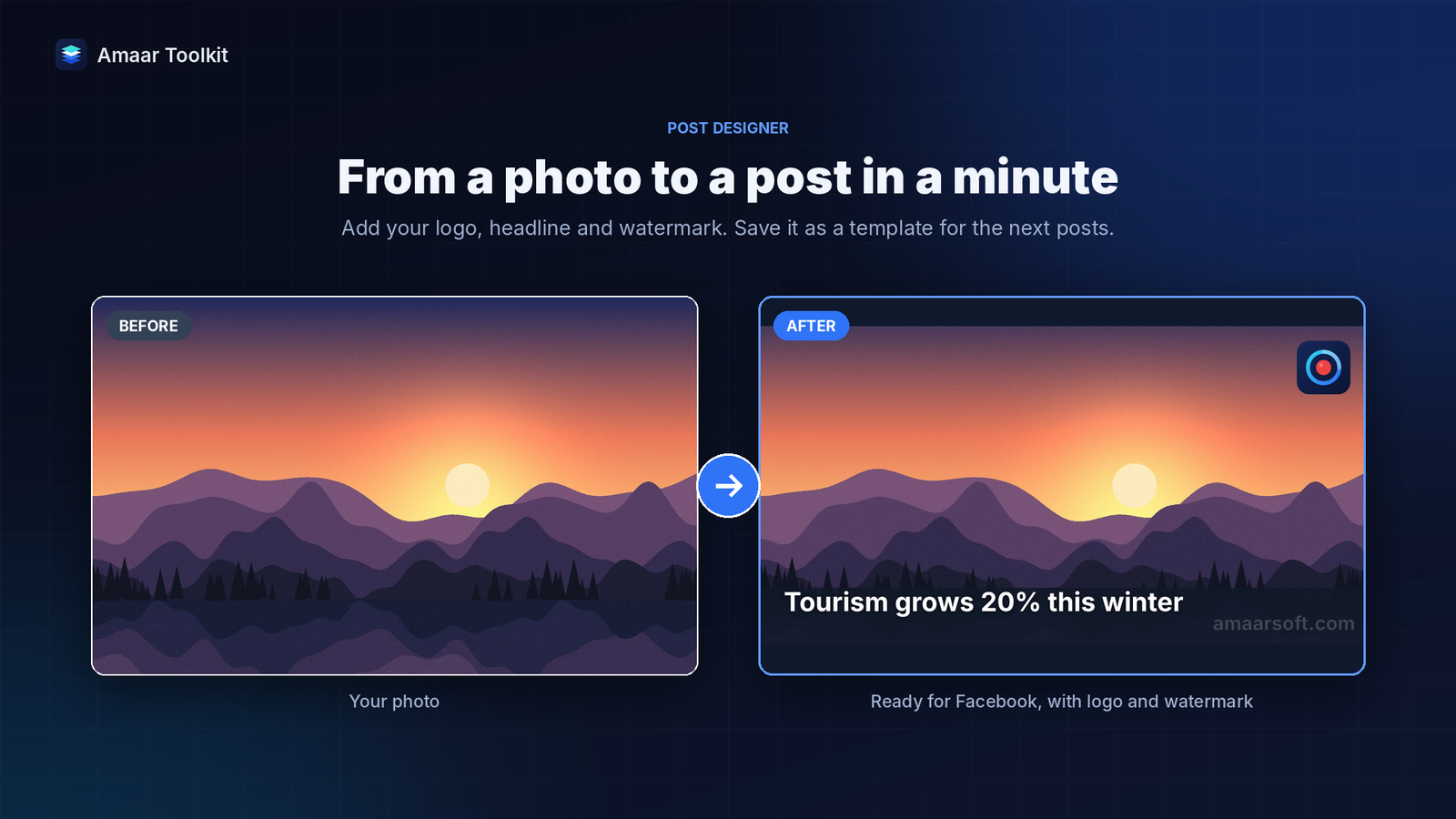
- Post Designer for Facebook, Instagram, YouTube and news posts, with your logo and watermark; save a design as a template and make many posts at once
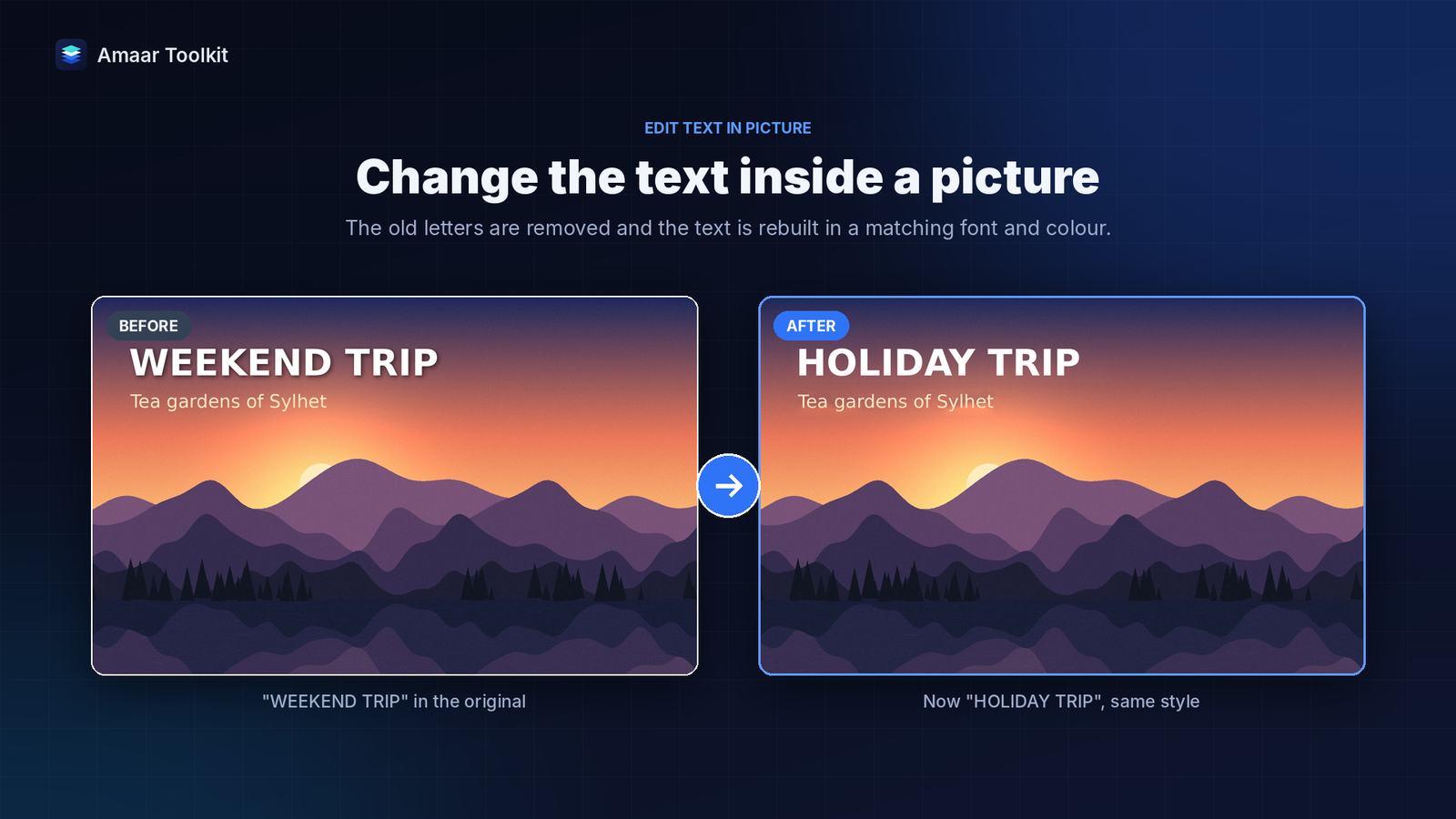
- Edit the text inside any picture: change, move or delete it in a matching font
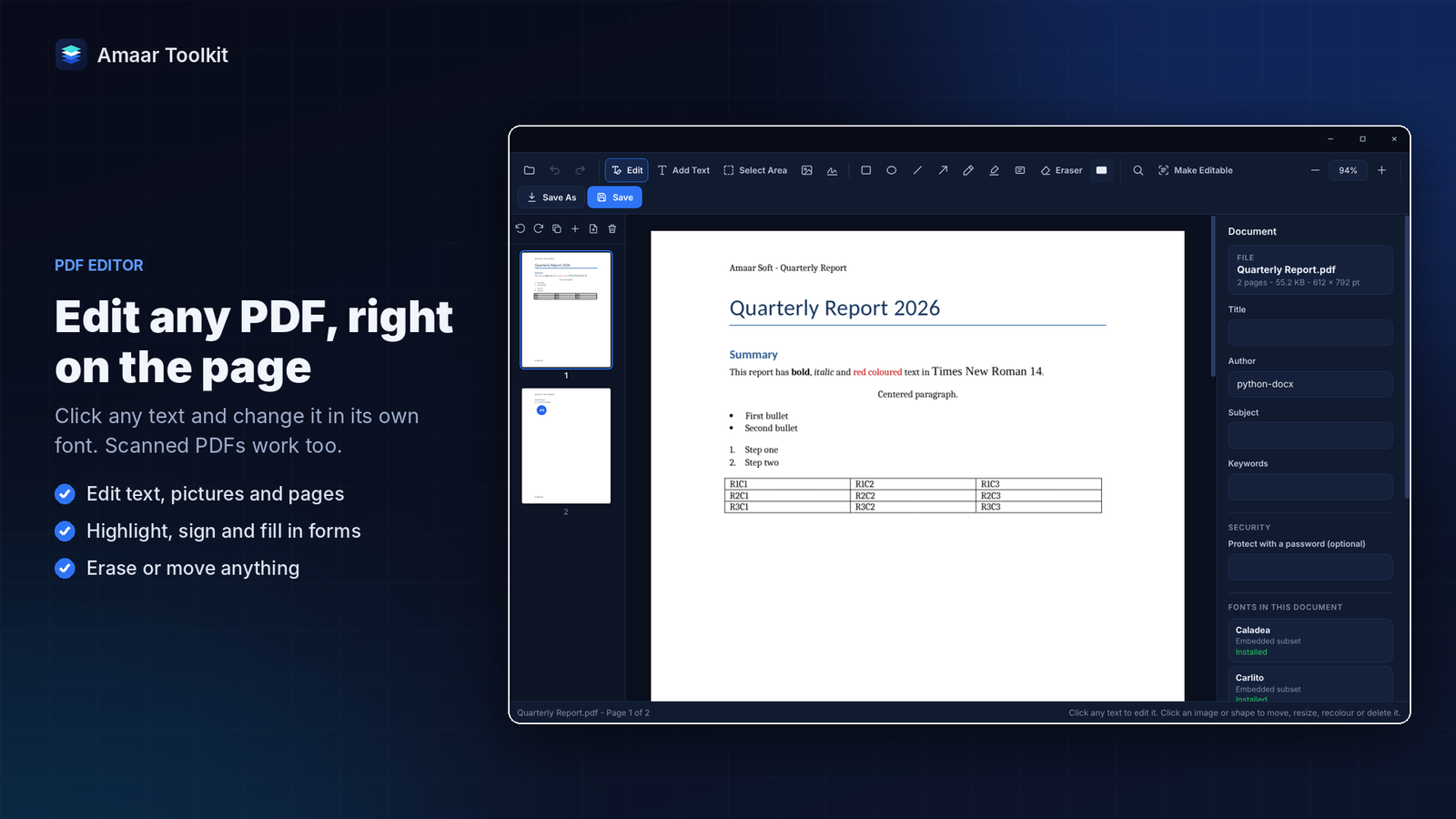
- Click any line in a PDF and edit it in the same font, size and colour
- Add text, pictures, highlights, signatures and form entries, and organise pages
- Scanned PDFs become real, editable text that keeps the original layout
- More than 40 PDF tools: merge, split, compress, protect, unlock, watermark, page numbers, OCR, rotate, crop, repair and more
- Convert PDF to Word, Excel, PowerPoint and JPG, and Word, Excel, PowerPoint and pictures to PDF
- Document Scanner turns photos of papers and receipts into clean, straight PDF pages
Word and Excel, no Microsoft Office needed
- Open, edit and create Word documents in tabs, with a ribbon you already know
- Styles, tables, pictures, page numbers, headers and footers, comments, footnotes, table of contents, columns, spell check and read aloud
- Open several Excel workbooks in tabs and work with formulas, formatting and many sheets
- Save as Word, Excel, CSV or PDF, or print
- Download Google Docs, Sheets and Slides as Word, Excel or PDF files
Writing
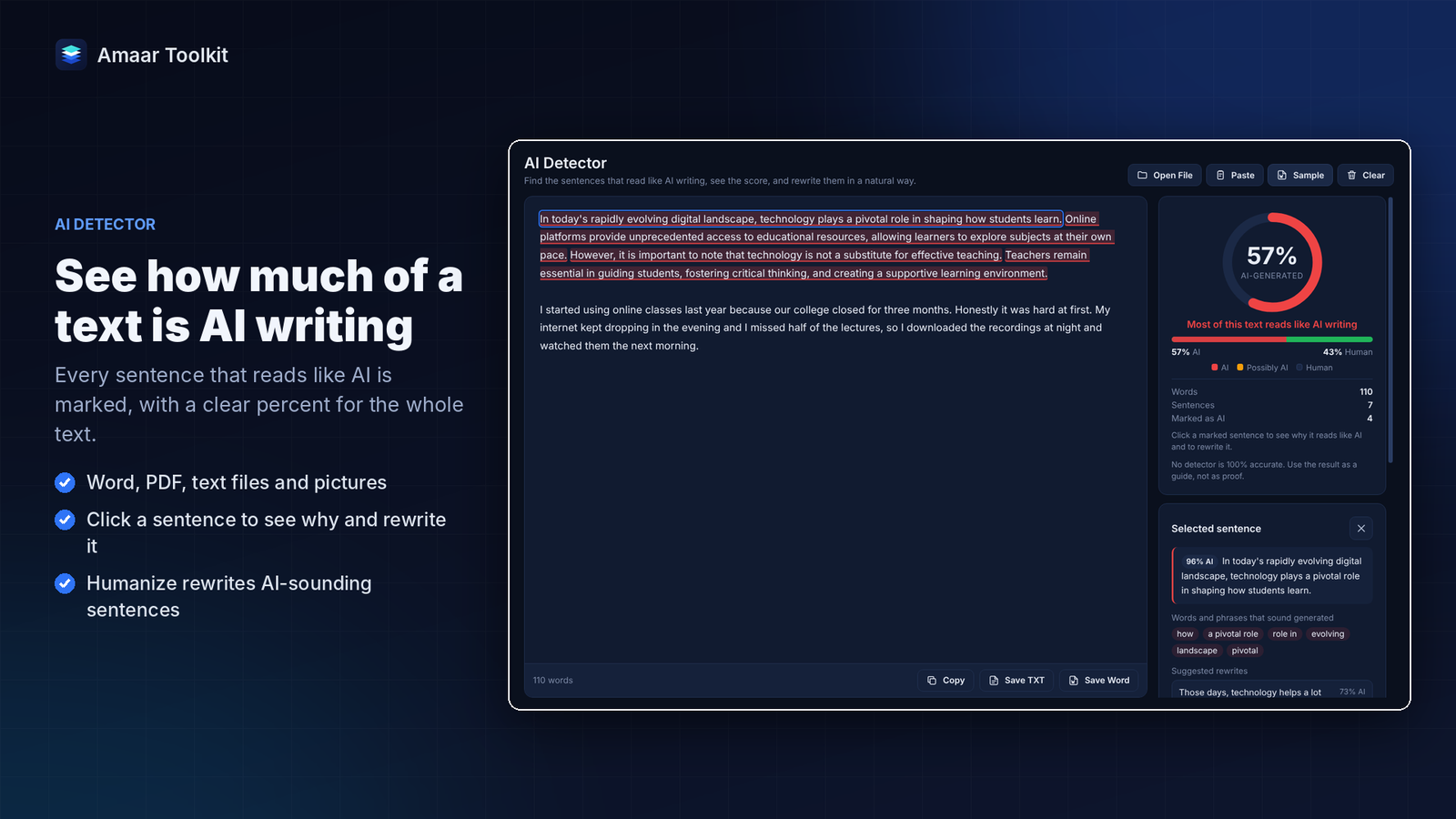
- AI Detector shows how much of a text reads like AI writing and marks every AI-sounding sentence
- Humanize Text rewrites AI-sounding sentences in plainer, natural English, and you can see every change and undo it
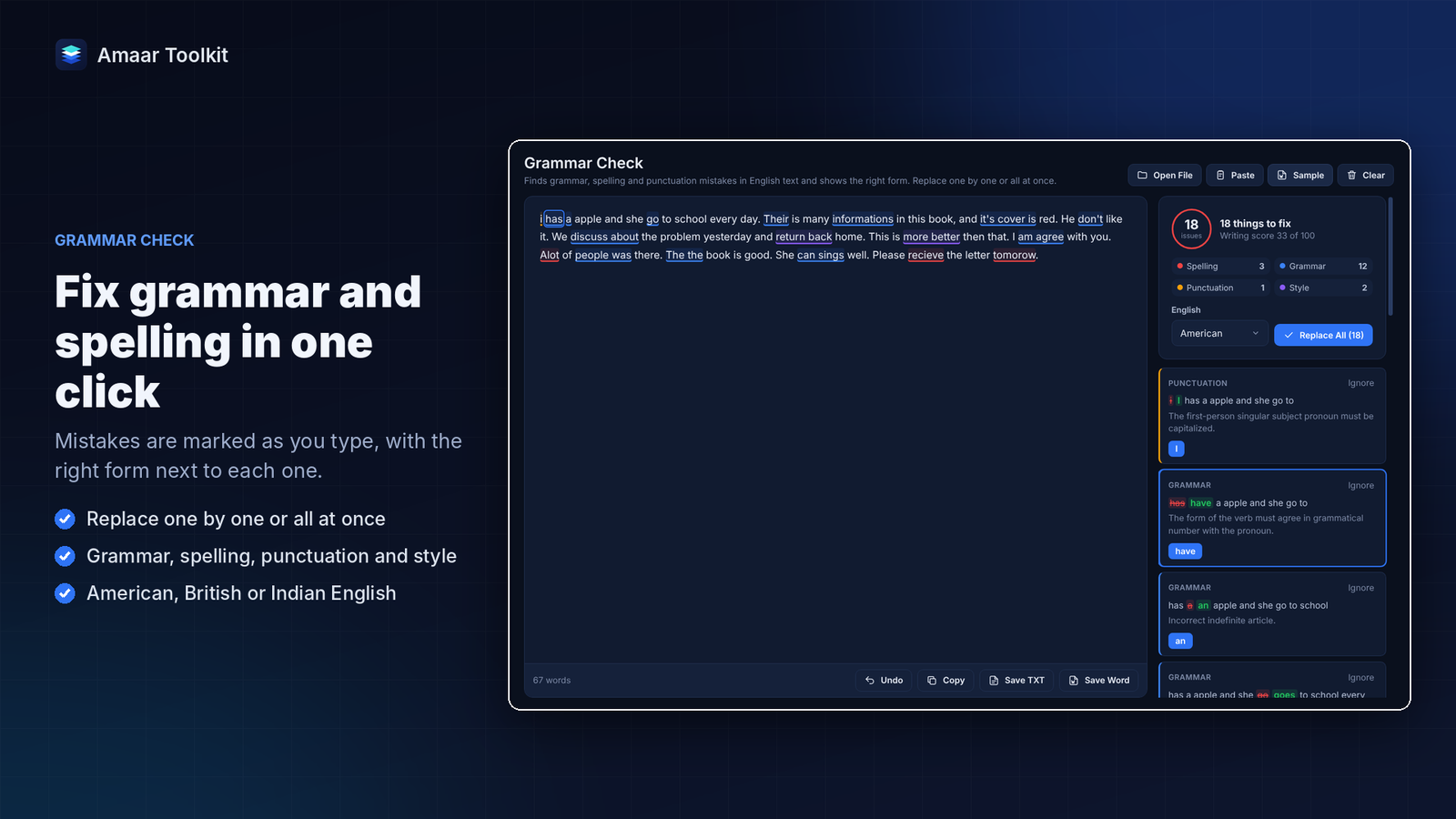
- Grammar Check finds grammar, spelling and punctuation mistakes as you type and shows the right form; replace them one by one or all at once
- Works with Word files, PDFs, text files and pictures of text; your text is checked on your PC and never sent online
Online and privacy
- Save videos, audio and pictures from YouTube, Facebook, TikTok and many other websites
- Remove location, camera details and AI labels from photos and videos before you share them, and add your own copyright
Generators
- QR codes for links, Wi-Fi and contacts, in your colours and with your logo
- Barcodes: EAN, UPC, Code 128, Data Matrix, PDF417 and more
- Hundreds of codes at once from a list, with a printable label sheet
- Email templates built from simple blocks, ready to paste into Gmail or Outlook
PC Health Check
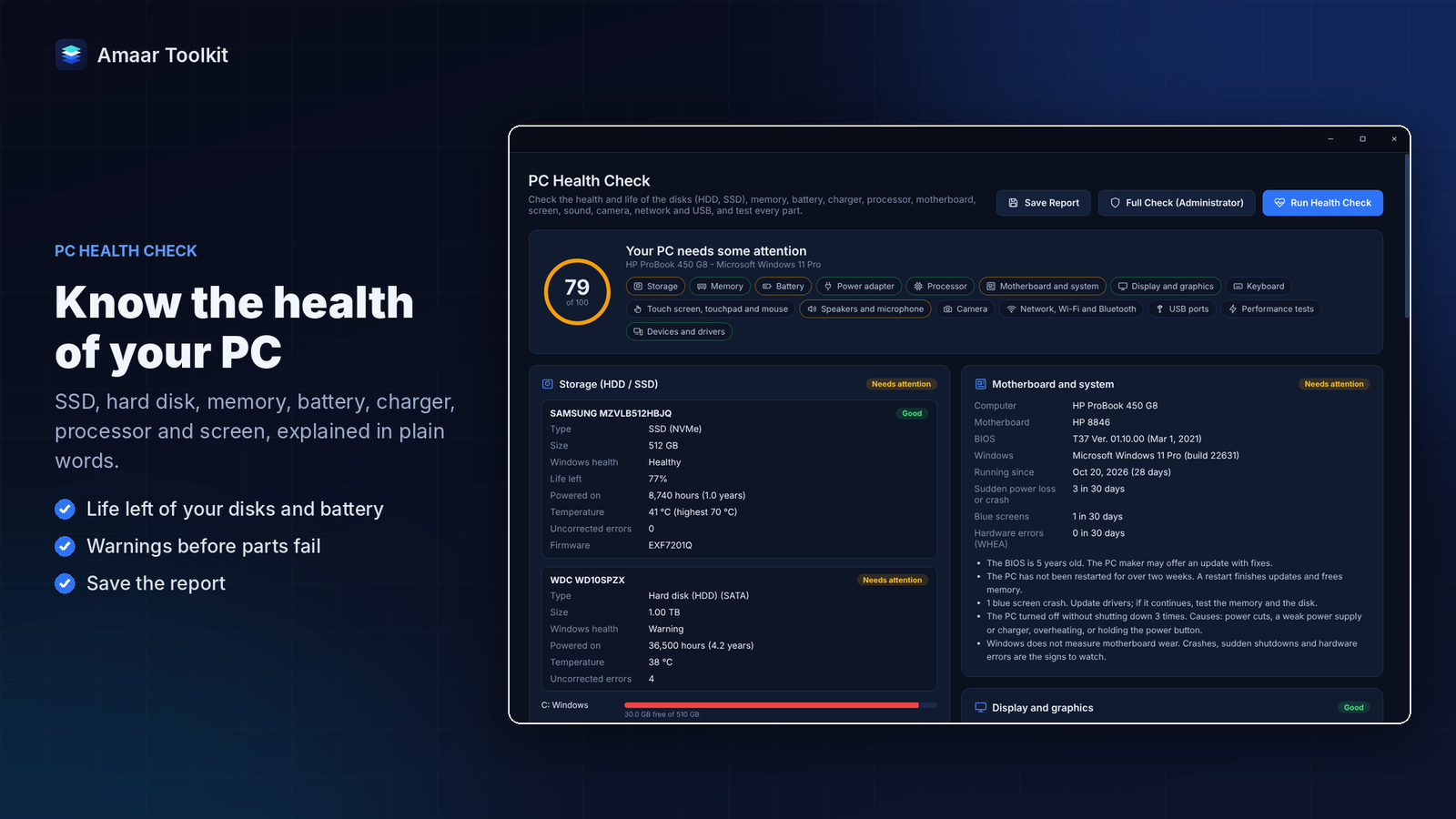
- The health and life left of your SSD or hard disk, memory, battery, charger, processor and screen, explained in plain words
- Tests for speakers, microphone, camera, touch screen, keyboard, mouse, USB ports, disk speed, disk errors, processor, graphics and internet speed
- Save the full report to share with a technician or a buyer
Your account and licence
Sign in with your Amaar Soft account and start the free trial, or choose a monthly, yearly or lifetime package. The app unlocks by itself as soon as the payment is approved. The plan, expiry date and days left are always shown in the app, and you can move your licence to a new PC from the Account page.
Install it from Microsoft Store or with the Setup file from your account. When a new version is out, the app tells you and installs it with one click.
Amaar Toolkit was called Amaar Recorder before version 3.0. Developed by Amaar Soft.
Highlights
- Screen recording with system sound, microphone and webcam
- Full screen, window or area recording, with global shortcut
- Screenshots of an area, a window or a long scrolling page
- Copy text from the screen or any picture, English and Bengali
- Video converter, compressor and video to audio
- Crop, trim, merge and multi-clip video editor
- Screen recording with system sound, microphone and webcam
- Full screen, window or area recording, with global shortcut
- Screenshots of an area, a window or a long scrolling page
- Copy text from the screen or any picture, English and Bengali
- Video converter, compressor and video to audio
- Crop, trim, merge and multi-clip video editor
- Bulk image converter, resizer and compressor
- Automatic background removal with edge brushes
- AI photo upscale up to 8x
- Passport, visa and ID photos with print sheets
- Post Designer with templates, logo and watermark
- Edit the text inside any picture
- PDF editor that keeps the original fonts
- Scanned PDFs turned into editable text
- More than 40 PDF tools
- Document scanner for papers and receipts
- Word editor with tabs, comments, footnotes and table of contents
- Excel-style spreadsheets with formulas and tabs
- Google Docs, Sheets and Slides to Word, Excel or PDF
- AI Detector with sentence-by-sentence marks
- Humanize Text for natural English
- Grammar Check with Replace and Replace All
- Online video, audio and picture downloader
- Remove photo metadata and AI labels
- QR code, barcode and label generators
- Email template builder
- PC Health Check with hardware tests and reports
- Light and dark theme
- One-click updates inside the app
- Free 7-day trial
- Windows 10 (version 1809 or newer) or Windows 11, 64-bit
- 64-bit processor, dual-core or better (quad-core recommended for video work)
- 4 GB RAM (8 GB or more recommended for video, AI photo tools and large PDFs)
- 1.5 GB free disk space for the app, plus space for your recordings and files
- Screen resolution 1280 x 720 or higher
- Internet connection for sign-in, activation, updates and online downloads
- Works offline for up to 7 days after the last sign-in check
- Free Amaar Soft account
- Microphone and webcam optional, for recording your voice or face
- DirectX 12 graphics card optional, for faster AI upscaling and background removal
- Microsoft Office not needed (Office or LibreOffice is used for Excel and PowerPoint to PDF when installed)
Option 1: Microsoft Store (recommended)
- Open Amaar Toolkit in Microsoft Store: https://apps.microsoft.com/detail/9MTR6095BMBX and click Get.
- When the install is done, open Amaar Toolkit from the Start menu.
- Sign in with your Amaar Soft account, or create one in the app with your email address.
- Click Start 7-Day Free Trial, or choose a package.
- Updates come through Microsoft Store. When a new version is out, the app shows it; click Update now.
Option 2: Setup file from your account
- Sign in at shop.amaarsoft.com, open your account and go to Downloads.
- Download AmaarToolkit-Setup and open the file.
- If Windows shows "Windows protected your PC", click More info, then Run anyway.
- Choose the install folder and click Install. Shortcuts are added to the desktop and the Start menu.
- Open Amaar Toolkit, sign in, and start the free trial or choose a package.
- For updates, open Account in the app. When a new version is shown, click Download update, then Install and restart.
Activate your package
- In the app, open Account and click View packages, or choose a package on shop.amaarsoft.com.
- Pay with bKash, Nagad or card in your browser.
- The app unlocks by itself as soon as the payment is approved. If you have a licence key, click Enter license key and paste it.
Move to a new PC
- On the old PC, open Account and remove this PC under Devices, or remove it from Licenses on the website.
- Install Amaar Toolkit on the new PC and sign in with the same account.
Updating from Amaar Recorder
Install Amaar Toolkit over Amaar Recorder. Your sign-in, settings and templates move to the new version, and the old shortcuts are replaced.
Uninstall
Open Windows Settings > Apps > Installed apps, find Amaar Toolkit and click Uninstall. Your recordings and saved files stay in your folders.
You may also like
My Multimedia
All-in-one media player and file viewer for Windows. Plays almost every video and audio format, with subtitles, and opens photos, PDF, Word, Excel and PowerPoint files. 7-day free trial.